


letmesee: event photo sharing
4.146.00 Reviews
App Specs
- Version
- 2.1.9
- Updated On
- License
- Free
- Downloads
- 100,000+
- Developer
- AXEL Network
- Categories
- Events
- Platform
- Android
Screenshots

 Analysis by AppCompare
When everyone at a gathering takes photos, the memories often end up scattered across phones and group chats. I like the idea of having one shared place to collect them, especially when people want to see moments they missed while talking or helping out. letmesee is an events app built around that kind of group album, with a focus on keeping contributions within an invited circle. It makes the most sense when the event itself is the reason to share, rather than when you want another general-purpose social feed.
A shared album for the day, not another permanent feed
Picture a family birthday where one person is setting out food, another is greeting guests, and someone else is keeping the children entertained. The person taking pictures cannot catch every moment, but several guests can add their own shots to the same event album. Later, the host has a more rounded record than a camera roll assembled from memory and a flurry of messages asking everyone to send their pictures.
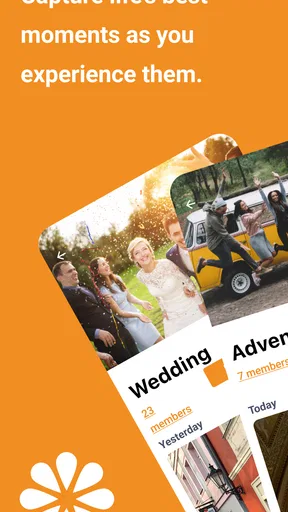
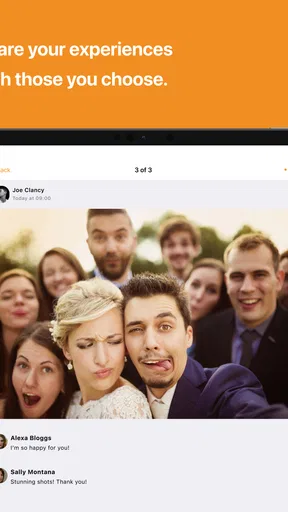
That event-first approach is the app’s clearest appeal. A messaging group is familiar, but photos can get buried beneath plans and reactions. A regular social network makes posting easy, yet it can feel too public or too ongoing for a private gathering. letmesee gives the album a specific context: guests join the event, contribute photos and videos, and can react to what others share. For a reunion, dinner, school celebration, or weekend get-together, that is a useful middle ground between a public post and a pile of individual messages.
The trade-off is that a shared album works only when guests are willing to join it and use it. If most people prefer to take pictures privately and send them later, the event space may remain incomplete. I would choose it for a group that is comfortable scanning an invitation or opening a link, not for a gathering where everyone wants to avoid installing or using another app.
Plan the invitation around the people attending
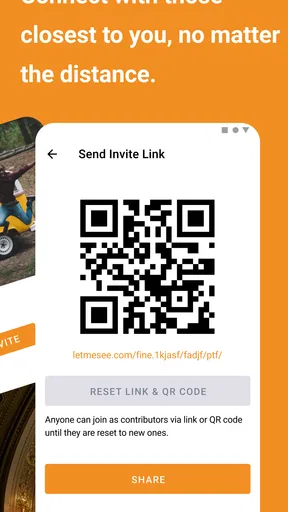
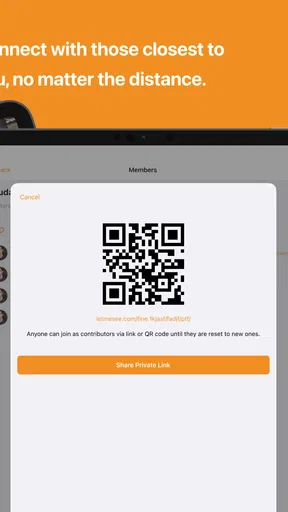
For household use, I would decide in advance who should contribute and who only needs to view the pictures. The event invitation creates a practical boundary around the group, but it is still worth sending it thoughtfully: a link or QR code is convenient, and it can also be forwarded more easily than a personal invitation. Before sharing it broadly, agree on which guests belong in the album and who will handle invitations.
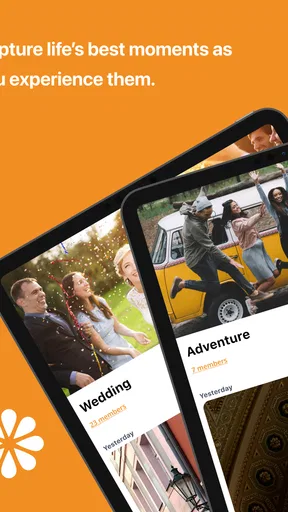
This is especially useful when a household shares a tablet or another device. A shared screen can make it easier for relatives to browse the album together, but it should not blur who is joining or posting. I would keep each person’s account use clear rather than treating one household login as a communal identity. That makes it easier to understand whose pictures are being added and helps avoid accidental posting under the wrong person’s name.
There is also a small coordination step that can prevent confusion: tell guests what the event album is for before the gathering begins. A short note in the invitation can explain that people are welcome to add photos, and that the album is meant for the invited group. This is more useful than assuming everyone will recognize the app or know what to do after scanning a code. If someone would rather not participate, they can simply keep their photos on their own phone.
Worth Reading Before You Choose

EA SPORTS FC Mobile 26 Is a Bigger Football Game, but It Takes Time

Flipboard Shows What News Apps Must Do Beyond the Feed

Switching to Android Auto Means Rethinking Your Driving Routine

Google Calendar Makes a Crowded Week Easier to Manage

Ludo King Makes the Most of the Minutes Between Plans

Baby Panda World Brings Quick Play to Modern Phones, but Its Game Library Feels Busy
Useful coordination, with a little host responsibility
Because several people may upload at once, I would not make the shared album the only copy of an important photo. A host can take a few key pictures themselves, while guests add candid moments from different parts of the gathering. That division is practical: it avoids relying on every attendee to contribute, yet still gives the album variety that one photographer might miss. Keeping a separate copy of especially meaningful shots is sensible whenever pictures matter beyond casual sharing.
Comments and likes add a social layer, but they are not a substitute for deciding how the group wants to use the album. At a relaxed get-together, reactions can make the collection feel lively. At a formal occasion, a quieter approach may suit the guests better. I would also avoid assuming that every image needs a comment or public reaction; the strongest reason to use the app is gathering the pictures, not creating another stream that demands attention.
For a busy event, timing matters. If guests wait until they get home to upload everything, the shared album may not feel like a live part of the occasion. On the other hand, uploading during a crowded moment can be less convenient, and simultaneous activity may cause some lag. I would treat live sharing as a bonus rather than a requirement: take the pictures first, add them when it is comfortable, and let the album fill in over the course of the event.
Privacy is a shared habit, not just an app setting
The invited-member approach is reassuring for personal gatherings, but I would still treat access as something the host needs to manage. Invite only the people who belong in the group, and remove someone if the guest list changes or access is no longer appropriate. A private album can still contain images that one person would rather not have shared, so it helps to set expectations before the first upload and to be considerate about what gets added.
That matters even more when children or teenagers appear in event photos. The app’s Teen age rating is a useful context for families, but it does not replace a parent’s judgment about who should see a child’s pictures or whether a young person is ready to post. I would check with the people responsible for the children before uploading close-up photos, and I would be cautious about sharing an event invitation beyond its intended guests.
Another practical question is what happens to the pictures after the event. The ability to download favorite images or the album gives users a way to keep copies, which is helpful if they want to preserve memories outside the event space. I would download important photos rather than assuming that an online album is the only archive needed. That simple habit also makes it easier to share selected images later with relatives who did not attend.
How it fits among familiar sharing options
Compared with sending pictures through a group chat, an event album keeps the photos tied to one gathering instead of mixing them with logistics and conversation. Compared with posting on a social network, it is better suited to a defined circle of guests. Neither alternative is automatically worse: a chat may be easier when everyone already uses it and only a few pictures are involved, while a broader platform may be more convenient when the goal is public sharing. I would pick this app when having one event-focused collection is more important than using the communication tool everyone already has open.
It is also not a full replacement for a dedicated photo backup or editing workflow. Its strength is bringing attendees’ contributions together and letting them interact with the album. If you need careful sorting, extensive edits, or a long-term library organized across many years, another tool may be a better fit. For a single occasion, though, the event structure can save the host from chasing down separate uploads afterward.
As an app from AXEL Network, it has a clear, narrow purpose rather than trying to cover every kind of social sharing. It is free to start, with optional in-app purchases listed from $0.99 to $14.99 per item. I would consider that before asking a whole group to rely on it: guests can have different expectations about paying for extras, so the event should still work as a shared album without assuming everyone will buy anything.
Getting Started with letmesee
First off, downloading letmesee from the app store was straightforward. It’s available for both Android and iOS, which is a big plus since it means everyone at your event can join in, no matter their phone preference.
The setup process is pretty painless. Once you open the app, you can sign up using your email or social media accounts. I chose the email route, and within a minute, I was ready to dive in. The interface is clean and intuitive, which is always a good sign. No one wants to spend hours figuring out how to use a new app, especially when you’re at a lively event.
Creating and Joining Events
Creating an event is as easy as pie. You tap on the "Create Event" button, and you’re prompted to enter some basic details like the event name, date, and location. Once that’s done, you can invite friends via a link or a QR code. Super handy, right? No more fumbling around trying to add people manually.
If you’re joining an event, it’s just as simple. You can scan the QR code or click on the invite link. Boom, you’re in! I joined a friend’s birthday party event just to test it out, and it was seamless.
Sharing Photos Made Easy
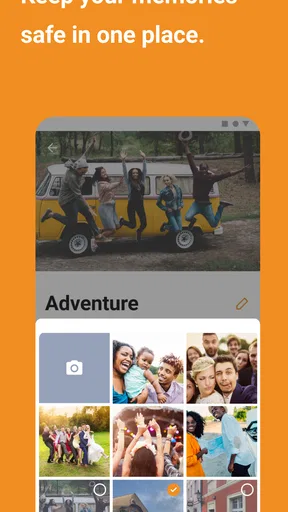
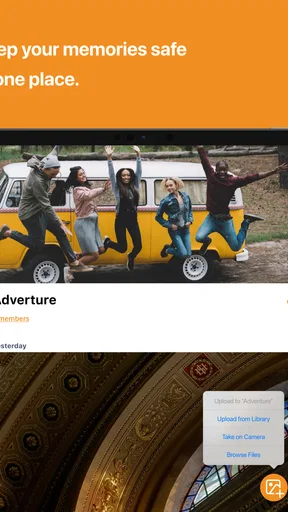
Now, onto the main event—photo sharing. During the birthday party, I started snapping pictures and uploaded them directly to the event album in real-time. The upload speed was impressive, and I could see others doing the same. It’s like having a live stream of photos, which is pretty cool if you want to relive the event as it happens.
The app also supports comments and likes on photos, adding a social media vibe to the whole experience. I found myself scrolling through the album, liking and commenting on my friends’ photos. It’s a fun way to interact and keep the energy of the event alive.
Privacy and Control
One of the things I appreciated about letmesee is its focus on privacy. You have control over who can see the photos and albums. Only invited members can access the album, and you can easily remove someone if needed. This is fantastic for those who cherish their privacy and want to keep their special moments within a trusted circle.
Additionally, the app allows you to download your favorite photos or even the entire album, so you have a backup of all those cherished memories. It’s a thoughtful feature that ensures you don’t lose any precious moments.
A Few Hiccups
While I thoroughly enjoyed using the app, I did encounter a couple of minor hiccups. Occasionally, the app would lag a bit when there were too many photos being uploaded simultaneously. It wasn’t a dealbreaker but something to keep in mind if you’re at a massive event.
Also, while the app’s design is intuitive, I felt that a few more customization options for event pages could enhance the user experience. A little bit of personalization goes a long way in making the event feel unique.
With a 4.1 average from over 500 ratings, it has attracted a substantial audience, though ratings alone cannot tell you whether its particular workflow suits your group. It has passed 100,000 installs, and version 2.1.9 runs on Android 6.0 or later. Those details make it accessible to many Android users, while the iOS option helps mixed-device households avoid splitting the album by phone type. The Teen content rating is worth keeping in mind when younger family members are involved.
For a household deciding whether to use it, I would start with a small, low-pressure occasion rather than making it the official archive for a major celebration. Create one event, invite the people who genuinely want to contribute, and see whether the group finds it easier than exchanging pictures afterward. If the guests are comfortable joining and the shared collection proves useful, it can become a convenient routine for birthdays and reunions. If they ignore the invite or prefer their existing chat, there is little reason to force a new habit.
Overall, letmesee is a solid choice for anyone looking to streamline their event photo sharing. It’s easy to use, fast, and prioritizes your privacy. Whether you’re at a wedding, a family gathering, or just a night out with friends, this app can help you capture and share the moments that matter.
So, if you’re like me and love snapping photos at events but dread the tedious process of sharing them afterward, give letmesee a try. It might just become your go-to app for event photo sharing.
Pros
- Easy photo sharing with event guests.
- Real-time updates for instant access.
- Simple interface for quick navigation.
- Secure sharing with privacy controls.
- No ads for an uninterrupted experience.
Cons
- Limited to photo sharing
- no videos.
- Requires internet for full functionality.
- No offline mode for viewing photos.
- Limited editing tools for photos.
- Not available for desktop use.
FAQs for letmesee: event photo sharing
What is LetMeSee and how does it work?
LetMeSee is an event photo-sharing app designed to help users easily share and access photos from events. Users can create or join event albums, upload their photos, and view others' contributions. The app uses a simple interface to make sharing seamless, ensuring that all participants can relive the event memories collectively.
Is LetMeSee free to use, or are there any hidden costs?
LetMeSee is free to download and use for basic features, allowing users to create and join event albums. However, there may be in-app purchases or subscription options for premium features like increased storage or advanced editing tools. It's always a good idea to check the app store description for the latest pricing details.
How secure is my data on LetMeSee?
LetMeSee prioritizes user privacy and data security. All photos are stored securely, and users have control over who can access their event albums. The app employs encryption and other security measures, but users should always review the app's privacy policy to understand how their data is protected and shared.
Can I use LetMeSee for any type of event?
Yes, LetMeSee is versatile and can be used for a variety of events, including weddings, parties, conferences, and family gatherings. The app's flexible album creation tools allow users to tailor the sharing experience to suit the specific needs of any event, making it an ideal choice for capturing and sharing memorable moments.
What platforms is LetMeSee available on?
LetMeSee is available for both Android and iOS devices, ensuring that users across different platforms can participate in event photo sharing. The app is accessible through the Google Play Store for Android users and the Apple App Store for iOS users, providing a seamless experience for all participants.


